Expos Photography Canva Template: Streamlining Your Visual Branding and Webinar Workflow
In the modern digital landscape, visual consistency is not merely an aesthetic choice; it is a fundamental component of brand trust and audience retention. Whether you are launching an online course, hosting a webinar, or presenting at a professional expo, the quality of your slide deck directly influences how your message is received. The Expos Photography Canva Template offers a strategic solution for creators who need to balance high-end design with rapid execution. This resource is not just a collection of static images; it is a flexible framework designed to integrate seamlessly into your existing marketing and educational workflows.
For professionals ranging from freelance educators to small business owners, the pressure to produce engaging content often conflicts with limited time and resources. Hiring a dedicated graphic designer for every presentation update is rarely feasible. Conversely, building slides from scratch in standard software can lead to inconsistent branding and wasted hours. This template pack bridges that gap by providing a modern, editable foundation that aligns with current design trends while remaining fully customizable to your specific brand identity.
Integrating Design Assets into Your Pre-Production Phase
Effective presentation planning begins long before you step in front of a camera or an audience. During the pre-production phase, your primary goal is to structure your narrative and ensure that your visual aids support rather than distract from your core message. The Expos Photography Canva Template serves as a critical tool during this stage by allowing you to visualize your content within a polished layout early in the process.
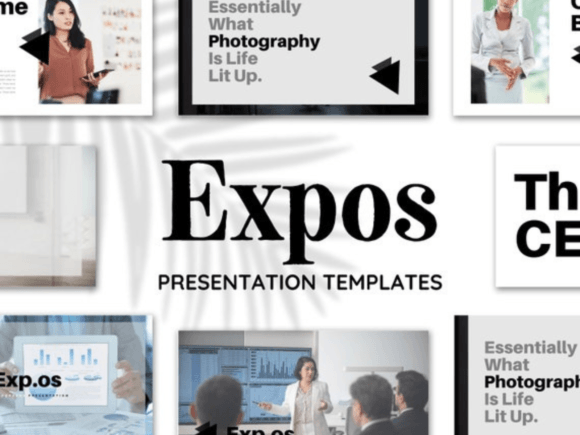
When you start with a pre-designed structure, you eliminate the "blank canvas paralysis" that often delays project initiation. Instead of worrying about font pairings or color harmony, you can focus on refining your script and organizing your key points. The template includes seventy distinct presentation templates, all sized at 1920px x 1080px, which is the standard resolution for most webinar platforms and video conferencing tools. This ensures that your visuals will appear crisp and professional regardless of the device your audience uses.
Furthermore, using a standardized template during the drafting phase helps maintain logical flow. You can map out your introduction, main content modules, and call-to-action slides using the predefined groups. This structural consistency makes it easier to identify gaps in your narrative or areas where additional visual support is needed. By integrating these templates into your planning workflow, you create a more cohesive final product that guides your followers through your content without unnecessary friction.
Customization and Brand Alignment
One of the most significant advantages of using Canva-based assets is the intuitive drag-and-drop interface, which allows for deep customization without requiring advanced technical skills. The Expos Photography Canva Template is built to be flexible, ensuring that it does not impose a rigid look that clashes with your established brand guidelines. Instead, it acts as a scaffold that you can adapt to suit your unique identity.
To effectively align the template with your brand, start by adjusting the global color palette. Most modern design tools allow you to swap out theme colors globally, meaning a single change can update buttons, backgrounds, and accents across all seventy slides. This feature is crucial for maintaining brand recognition. If your brand relies on specific hex codes for primary and secondary colors, applying them consistently across your slide deck reinforces your professional image.
Typography is another critical element of brand perception. While the template comes with curated font pairings that offer a modern and clean aesthetic, you have the freedom to replace these with your brand’s official typefaces. Ensuring that your headings and body text match the fonts used on your website and social media channels creates a seamless experience for your audience. Additionally, you can utilize the extensive Canva Elements Library to swap out illustrations, charts, and icons. This allows you to tailor the visual language to your specific industry, whether that involves technical diagrams for a tech webinar or softer, organic shapes for a wellness course.
Enhancing Engagement During Live Presentations
The ultimate test of any presentation asset is its performance during live delivery. A well-designed slide deck should enhance engagement, keeping your audience focused on your message rather than distracted by poor design choices. The Expos Photography Canva Template is engineered to prevent boredom and maintain viewer interest through varied layouts and dynamic visual elements.
During a webinar or online class, attention spans can wane quickly. To combat this, use the template’s diverse slide types to break up monotony. Alternate between text-heavy informational slides and visually driven pages that feature high-quality photography or mockups. The inclusion of device mockups is particularly useful for demonstrating digital products or software interfaces. By adding preview graphics to these mockups, you provide a realistic context for your offerings, helping potential customers visualize the value of your course or service.
Moreover, the template’s design encourages clarity. Key content groups are structured to help you nurture and convert your audience effectively. For instance, dedicated slides for testimonials, case studies, or feature highlights allow you to present social proof and benefits in a digestible format. This structured approach supports your verbal delivery, ensuring that complex information is broken down into manageable chunks. When your visuals are clear and professionally aligned, you establish authority and trust, which are essential for leading traffic to your profile and converting viewers into students or clients.
Post-Event Repurposing and Long-Term Efficiency
The value of a robust template extends beyond the live event. In a sustainable content workflow, repurposing assets is key to maximizing return on investment. Once your webinar or class is complete, the slides created using the Expos Photography Canva Template can be easily adapted for other marketing channels. You can export individual slides as high-resolution images for social media posts, compile them into a PDF lead magnet, or use them as thumbnails for recorded video content.
Because all elements are editable, updating the content for future iterations is straightforward. If you decide to refresh your course material or update your pricing structures, you do not need to redesign the entire deck. Simply open the Canva file, modify the relevant text or images, and save the new version. This flexibility saves significant time and money, eliminating the need to hire a designer for minor updates. Over time, this efficiency compounds, allowing you to produce more content with less effort.
Organization is also vital for long-term use. Keep your master template file separate from your working copies. This ensures that you always have a clean, unmodified version to start new projects. By maintaining a library of customized templates for different types of presentations—such as sales webinars, educational classes, or internal team meetings—you can streamline your production process further. This systematic approach to asset management supports scalability, enabling you to handle increased workloads without compromising on quality.
Practical Implementation Tips for Maximum Impact
To get the most out of the Expos Photography Canva Template, consider adopting a few best practices during your implementation process. First, audit your existing brand assets before you begin editing. Gather your logo files, color codes, and preferred fonts in one place. This preparation minimizes decision fatigue and ensures a faster setup process.
- Consistency Check: After customizing the first few slides, review them side-by-side to ensure that spacing, alignment, and color usage are consistent. Small discrepancies can detract from the professional polish of the final deck.
- Image Quality: When replacing placeholder photos, use high-resolution images that align with the template’s modern aesthetic. Blurry or poorly lit photos can undermine the sophisticated look of the design.
- Text Hierarchy: Respect the intended hierarchy of the template. Use headings for main points and body text for details. Avoid overcrowding slides with too much text, as this can overwhelm your audience during a live presentation.
- Mockup Integration: Utilize the device mockups strategically. They are most effective when showcasing tangible results of your product or service, such as a dashboard view or a mobile app interface.
By treating the template as a flexible tool rather than a rigid constraint, you can create presentations that are both visually stunning and functionally effective. The Expos Photography Canva Template empowers you to take control of your visual branding, ensuring that every webinar, class, or expo presentation reflects the professionalism and quality of your brand. With the right approach to customization and integration, this resource becomes an indispensable part of your creative toolkit, driving engagement and supporting your long-term business goals.